AI assistant
An assistant in the bar that reads the page and, when you ask, works it: clicks, types, pulls tables out, opens tabs, reads your other tabs — and stops to ask before anything it cannot undo. It runs on Apple Intelligence with no key, or on your own key for Claude, OpenAI, Gemini or DeepSeek.
Asking
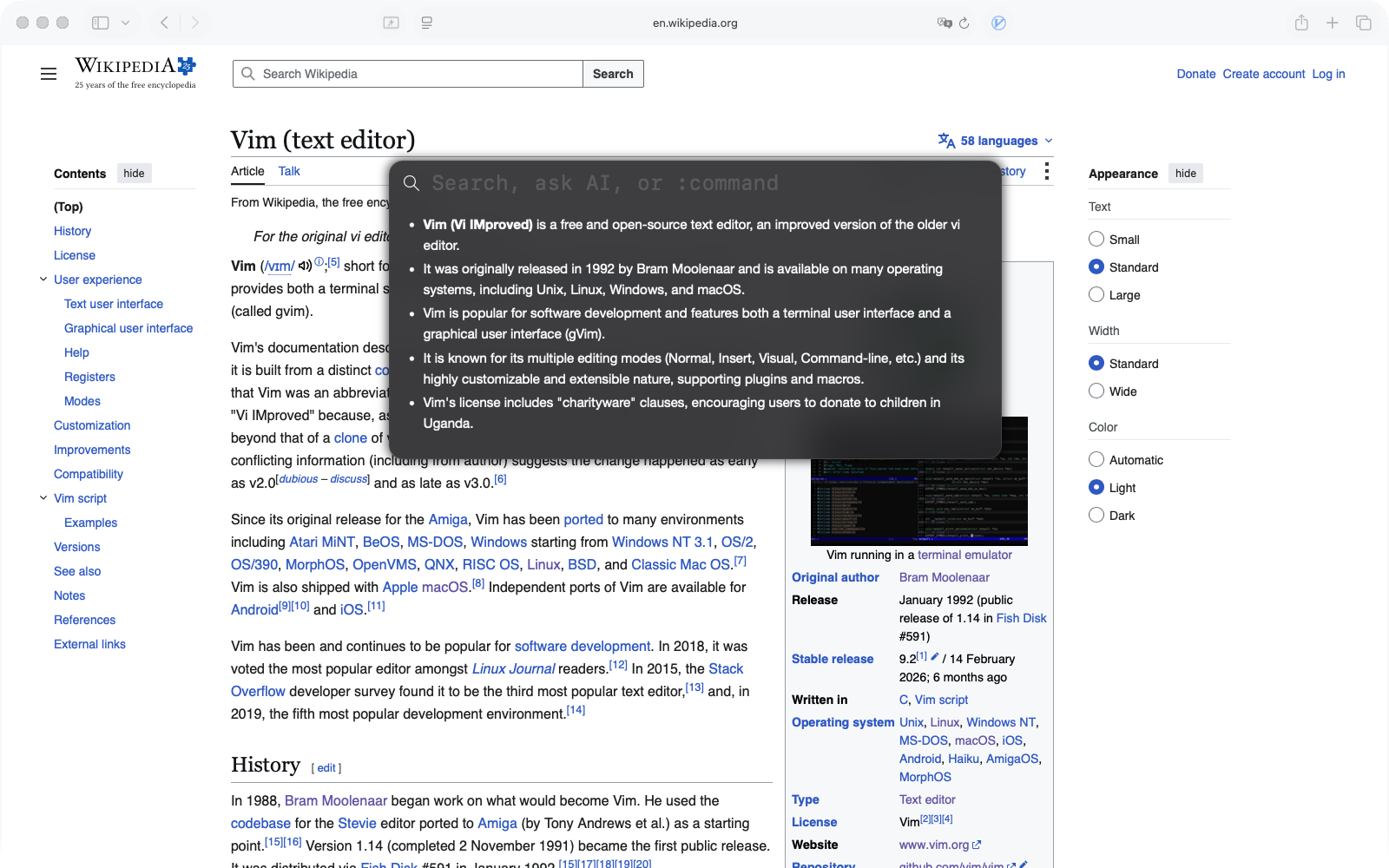
- Press o, type a question, press ⌘↩. The bar is also the search bar, so plain ↩ searches; ⌘↩ asks. Pick the Ask AI row with the arrows and ↩ does the same.
- Select text first and the question is about the selection. In visual mode, : asks about what you selected.
- While a run works, the bar shows each step; close the bar and a small pill in the corner keeps showing progress. Esc stops a run — from the bar or the page. Settings › AI Assistant decides what typing during a run does: queue it, send it to the run as a steer, or cancel.
- The answer streams into the bar and stays until you close it. Long answers become a report.
The : palette
Type : on a page (or in an empty bar) and your saved commands appear as rows; keep typing to filter.
↩ runs the highlighted one. A command followed by text runs with that text as its argument:
:translate korean.
Three built-in rows need no setup and belong to the website you are on:
| Row | Does |
|---|---|
:keys | Suggest shortcuts — the AI proposes keys for this site's places; you try them before saving. |
:clean | Clean up this page — hide or dim ads, banners, sidebars, comments. :clean hide the footer asks for one thing. |
:repair | Find the targets of your keys again after the site changed its layout. |
Saved commands
A saved command is a prompt with a name and a :shortcut. Seven come with the app; make your own in
Settings › AI Assistant › Saved Commands, or on one site in Settings › Websites.
| Shortcut | Does |
|---|---|
:sum | Summarise the page in a few bullets, in the page's language |
:find | Asks what you are looking for, finds where the page answers it, quotes it and scrolls there |
:table | Pulls the page's repeating items — results, products, rows — into a table; a big one opens as a report |
:translate language | Translates the page in place, or only the selection if there is one |
:kr · :en | Translate into Korean, into English |
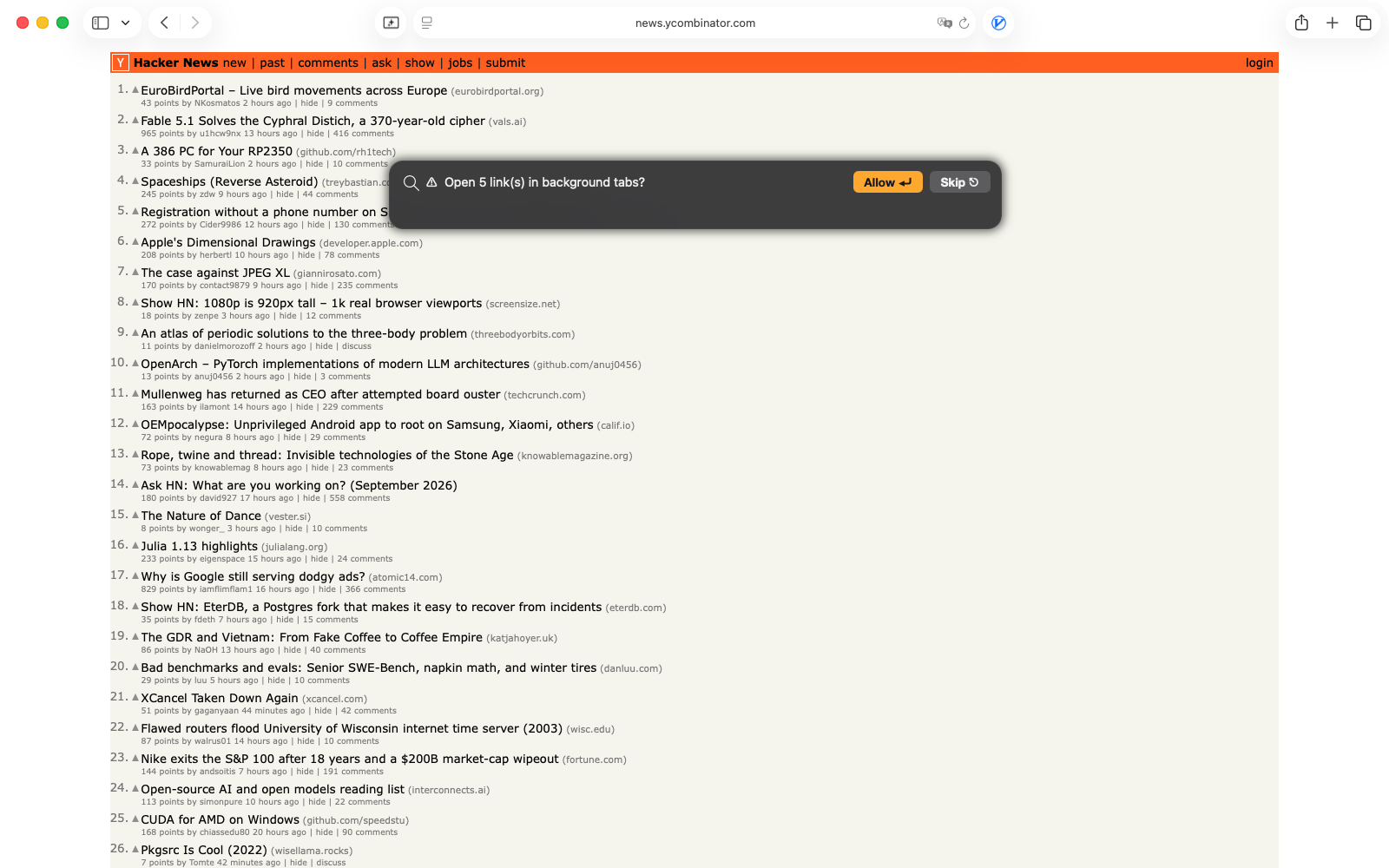
:links | Opens every link in the main article in background tabs — after asking |
What a command can carry
| Field | Meaning |
|---|---|
| Shortcut | The alias after :. ${input} in the prompt takes the text typed after it. |
| Only on | A site limit. The command shows in the palette, and its key works, only on matching pages — so :comments can mean one thing on YouTube and another on GitHub. |
| Keyboard shortcut | A key that runs it straight from the page, without the bar. Press the keys in the field to record them. |
| Open in browser | Whether the command is offered in that mode too (only commands that read the page can be). |
| Step limit | How many tool calls this command may make, when the default is too few or too many. |
| Skill | Step-by-step instructions the assistant follows when this command runs — how to read this site's result list, which filter to click first. |
Site packs can bring commands too, with a fixed hotkey vocabulary: as is a summary of this page on every site that has one, ac the comments or reviews, ab a briefing of many stories. A command of yours with the same shortcut replaces the pack's.
What it can do on the page
In Direct API mode the assistant works by calling tools; it decides which, you see each call in the bar. The 28 tools:
| Group | Tools |
|---|---|
| Read the page | get_page the readable text, title, URL and selection · get_links · get_selection · get_snapshot every interactive element with a stable ref · extract repeating items into rows · capture_screenshot when the content is visual · wait_for until something appears or the page settles |
| Other tabs & history | list_tabs · read_tab another tab's text without switching to it · search_history your local history by keyword |
| Open pages & click | click by ref · click_link by text · press a key on an element · navigate the current tab · go_back · reload · open_url · open_urls_in_background_tabs · scroll |
| Type into pages | fill a field · select_option in a dropdown · check a box or switch |
| Change the page | translate_page in place · set_dark_mode |
| Results | show_report a formatted page · copy_result to the clipboard · save_command · propose_site_key a key for an element |
Every tool runs inside the page in your Safari, on your device. Nothing is sent to the provider but the text the assistant asked to read and your question.
Guardrails and permissions
- Confirm risky page actions (on by default): before a click that looks like Delete, Pay, Send, Submit or anything else hard to undo — and before opening several tabs — the bar shows the action with Allow and Skip. ↩ allows, Esc skips.
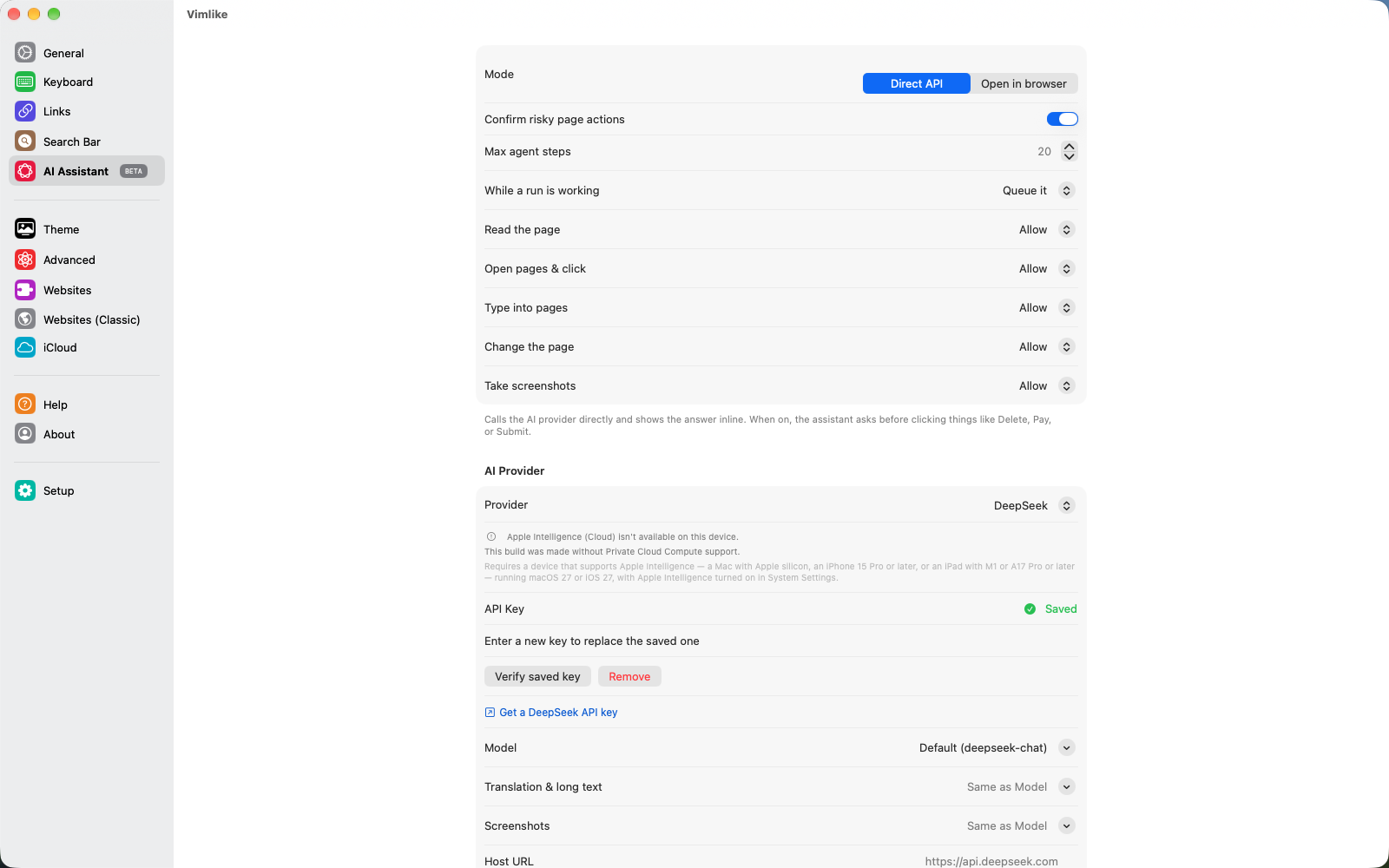
- One rule per kind of tool: Read the page, Open pages & click, Type into pages, Change the page, Take screenshots — each Allow, Ask or Deny. "Never type into pages" is one switch, not a list.
- Max agent steps caps a run (20 by default); a command can set its own.
- Your API key lives in the Keychain. The page never sees it, and neither does iCloud.
Providers and modes
| Mode | How it works |
|---|---|
| Direct API | Vimlike calls the provider and shows the answer inline; tools, saved commands, keys and site suggestions all need this mode. |
| Open in browser | No key at all: the chosen chat site — ChatGPT, Claude, Gemini, Perplexity or DeepSeek — opens in a new tab with your prompt and the page's text typed in. Only commands that read the page apply. |
| Provider | Notes |
|---|---|
| Apple Intelligence | No key. Runs on Private Cloud Compute, so nothing is stored and nothing is yours to pay for. Needs a device and OS that offer it. |
| Claude · OpenAI · Gemini · DeepSeek | Paste your own key; pick a model; Test checks it. OpenAI-compatible servers work through a custom host URL. Costs are billed by the provider to your account. |
Memory and usage
- Memory — up to 4,000 characters of standing preferences sent with every request: "Always answer in Korean", "Compare prices including shipping". Stored on your device (and your iCloud, if sync is on).
- Token usage — the last 200 requests, by model and by task, so you can see what is expensive (translating a whole page usually is). Recorded on this device only.
Reports
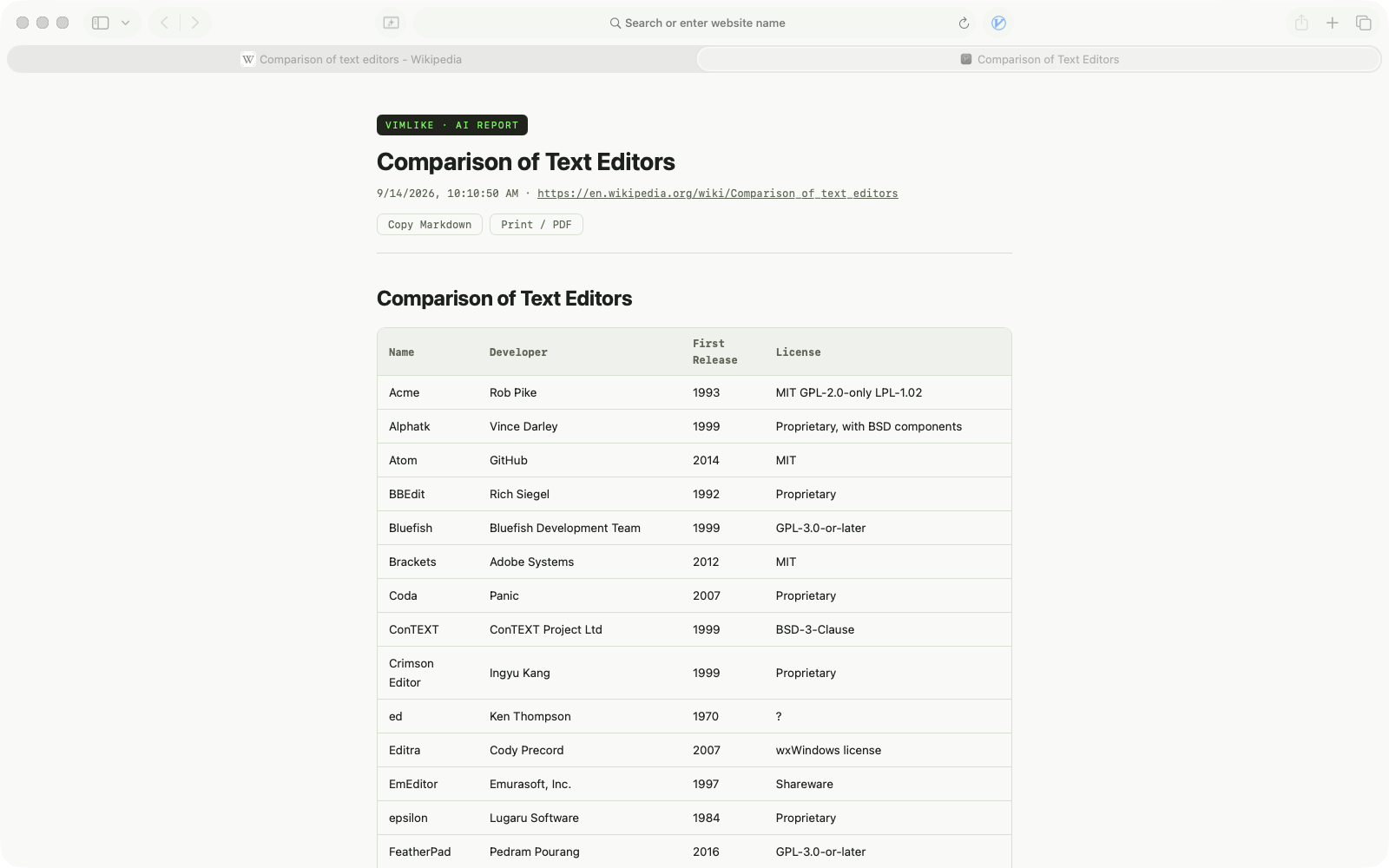
When an answer is more than a few lines — a comparison, an extracted table, a long summary — it opens as a report page in a new tab: headings, tables and links rendered, with Copy Markdown and Print (to PDF) at the top.
Next: Websites & site packs →