Jasmine Studios
For people who travel on their own terms

Plan it.
Capture it.
Share it.

Itinr turns your booking emails into an itinerary, your check-ins into a travel log, and your whole trip into a recap worth sharing — with Apple Intelligence, completely free. No account. Your trip stays yours.

Download on the App Store Free · No in-app purchases · No account

Plan the trip. Capture the moment.
Share the story.

Planners forget your trip the moment it starts. Journals can't plan it. Itinr carries one timeline from the first booking to the story you share afterward.

Plan the trip

Drop in anything — get a clean itinerary.

Capture the moment

Check in once — photo, dish, receipt, all pinned.

Share the story

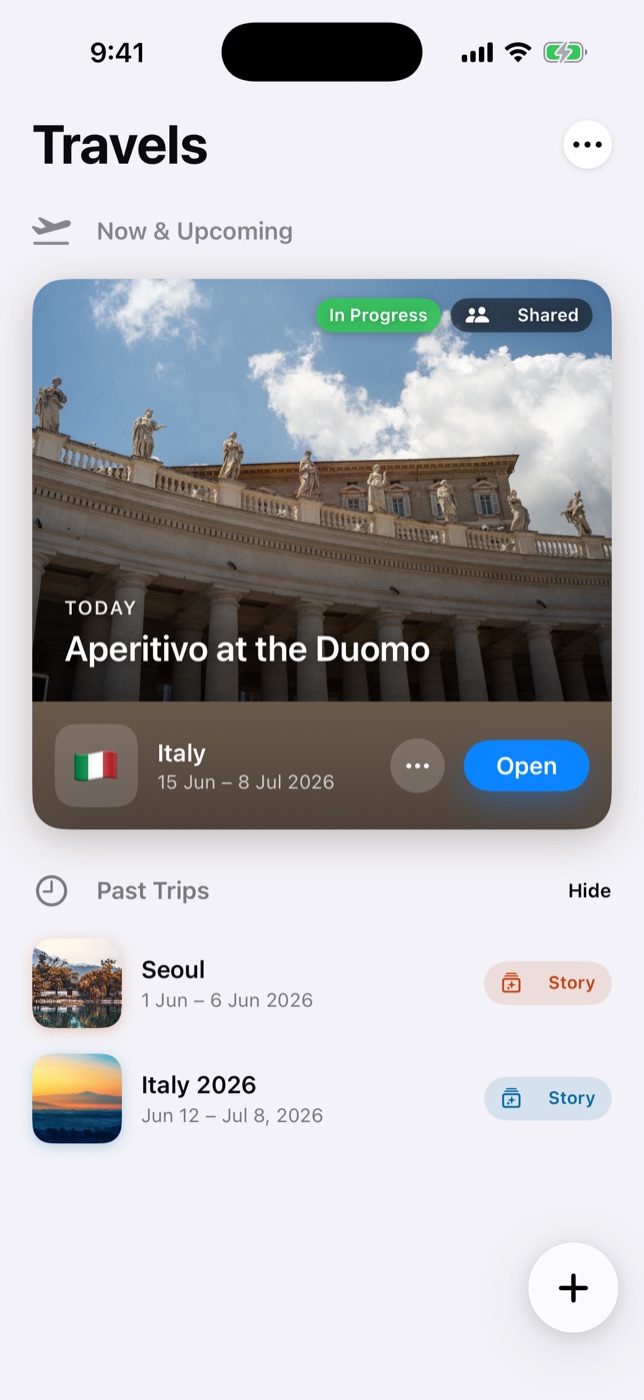
Your people follow along live — then a recap worth keeping.

Plan

Drop in anything.
Get an itinerary.

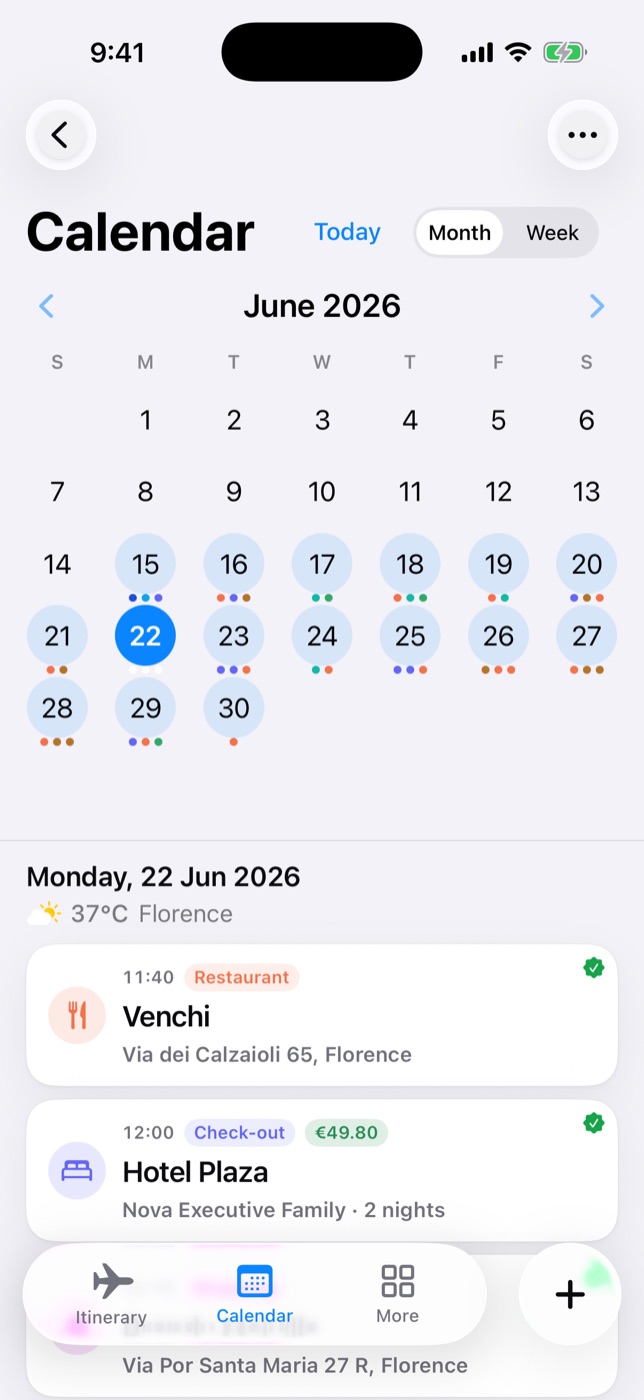
Paste a booking email, a link, or snap a confirmation — flights, hotels and reservations become a clean day-by-day timeline. Then discover what's around and drop it straight into your day.

  • From your bookings Emails, PDFs, photos, links — events extracted automatically, many at once.
  • Discover nearby Find places worth adding around your hotel or your next stop — one tap adds them to your day.
  • One beautiful timeline Bookings, places, to-dos and documents — the whole trip organized day by day.
  • No connection needed Your plan lives in your hand — bookings, confirmation numbers and QR codes work even in airplane mode.
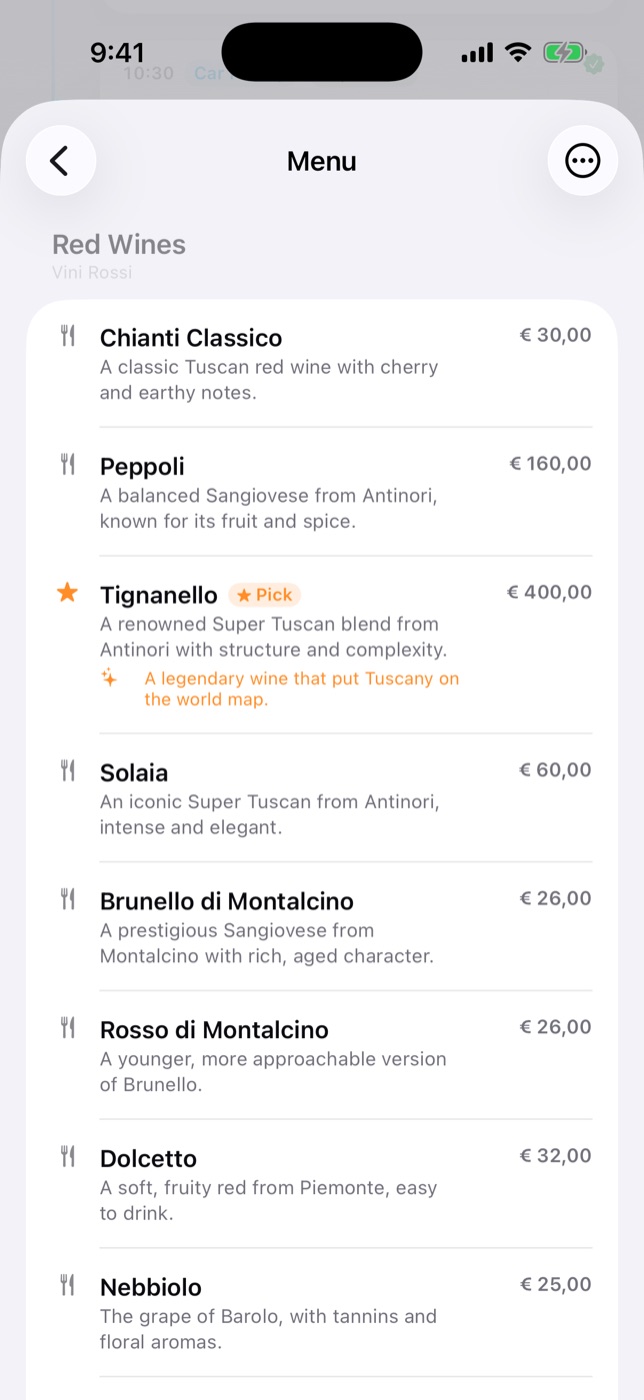
Restaurant menu translated into your language with recommended dishes
Capture the moment

Check in. It pays you
back on the spot.

One tap logs where you are — even places you just stumbled into. The menu gets translated into your language with picks worth ordering, the receipt files itself, and every photo lands on the right place.

  • Menus, in your language Scan the real menu from a photo — get recommended dishes, translated for you.
  • Check in without effort One tap logs a place — planned stops and brand-new discoveries alike.
  • Everything in its place Photos, spending, map pins and place info — organized by place, not lost in your camera roll.
  • Spending, tracked Snap the receipt; the expense links itself to the place, in your currency.
Not an app that nags you to journal — one that makes recording pay off right now.
Share

Share the trip —
live, and after.

During the trip, your people follow along live — edit together over iCloud, or send a link that opens in any browser, no app needed. And when it ends, the recap turns it all into a story worth sharing.

  • Live itinerary, no app needed Share over iCloud to view or edit together — or send a live web link anyone can open in a browser.
  • On every device you own Your own iCloud keeps trips in sync across iPhone and iPad — no account, no server of ours.
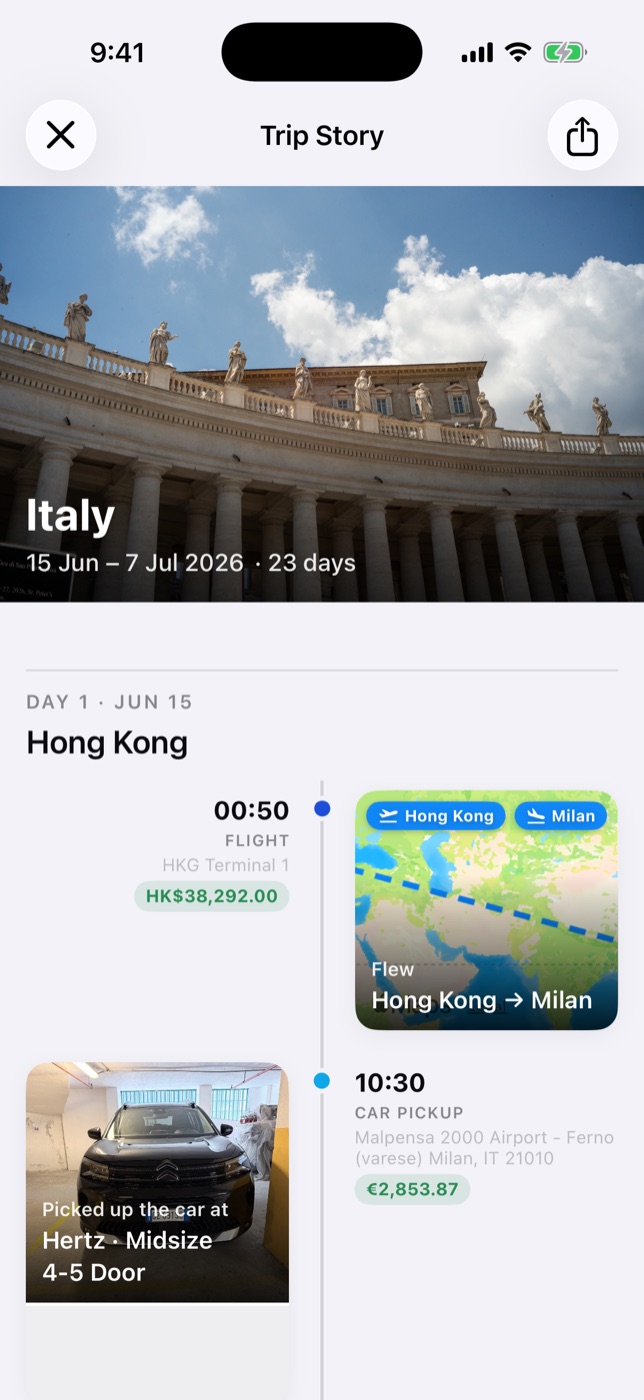
  • Memories worth sharing The recap turns your trip into a beautiful timeline and story cards — photos, dishes, route maps and all. Yours to keep forever.
  • Instagram Stories in a tap Turn a place's photos and videos into a story — filters, transitions, a title and royalty-free music.
Trip story recap with hero image, timeline feed and flight route map

Completely free.
Private by design.

No subscriptions, no in-app purchases, no trial. Planning, capturing, the recap, sharing and the offline trip pack — every feature is free. And your travel data stays with you.

Every feature, free

Plan, capture, recap, share and take the whole trip offline. No paywalls, no upgrade prompts, nothing to cancel.

Built with Apple Intelligence

Reads bookings, plans your days, reads menus and receipts and names your dishes — on your iPhone, private and free. On iOS 27, bigger tasks use Apple's Private Cloud Compute.

AI on your terms

Prefer another model? Use your own key — Claude, Gemini, OpenAI or DeepSeek. Or turn AI off: receipts, menus, to-dos and day plans still work.

No account. Your device.

No sign-up, no login, no tracking. Trips live on your iPhone and in your private iCloud — there is no Itinr database of your travels.

Your trip, on your device — free to plan, free to keep.

Questions, answered.

Is Itinr really free?

Yes. Every feature is free — no subscriptions, no in-app purchases, no ads. There's nothing to upgrade to.

Do I need to create an account?

No. There's no sign-up and no login. Your trips are stored on your device and in your own iCloud — Itinr's servers never store your trip data.

How does the AI work?

On iPhones with Apple Intelligence, Itinr uses it right on your device — private and free. On iOS 27, larger tasks run on Apple's Private Cloud Compute. You can also use your own API key (Claude, Gemini, OpenAI, DeepSeek), sent straight from your phone to that provider.

My iPhone doesn't support Apple Intelligence. Can I still use Itinr?

Yes. Without AI, Itinr uses built-in rules on your device: receipts, menu translation, to-dos and day planning all still work. Add your own API key any time for the full AI features.

Where is my travel data stored?

On your device and in your private iCloud, synced across your devices. With Apple Intelligence or your own key, AI requests go to Apple or the provider you chose — never through us.

Can I share a trip with family or friends?

Yes — share via iCloud to view or edit together, or send a live web link anyone can open in a browser.

Does it work offline?

Viewing your itinerary and recording both work offline — bookings, confirmation numbers and QR codes included. The offline trip pack keeps every photo and document on your device in one tap.

Your next trip deserves
to be shared.

Free · No in-app purchases · No account
Download on the App Store