Better Player for Youtube — Setup & Help
Setting it up, what changed in each version, and the privacy policy. What the app does is on the product page.
Downloads
The latest version of Better Player for Youtube is available in AppStore:

Version History
v1.4.11
- Ambient light — the video casts a glow in the colours of the frame playing, with size and strength in settings
- Focus mode now applies to Shorts, and hides the action buttons beside the reel
- The video is centred in the window
- The app and its settings in eleven languages
- Fixes: focus mode no longer leaves a black page when YouTube rebuilds its player; the Focus Mode and auto-start switches now do what they say
Versions between v1.2.0 and v1.4.11 are not listed here.
v1.2.0
- Set up to show / hide buttons
- Set up to change background and button colors
v1.1.2
- Fix for the issue with Youtube’s ‘keep hovering to play’
v1.1.0
- Now support iPhone as well as iPad and Mac
- Buy once and run across all platforms
- Bugfix
v1.0.2
- iPad version is also available for iOS 15
- UI enhancement for the embedded toolbars
- Settings for adblock and auto-load
Installation Guide
macOS
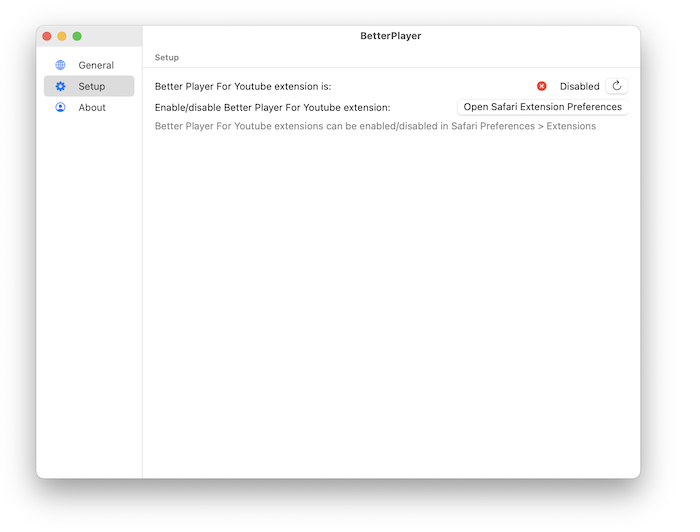
- Launch Better Player for Youtube application. Select Setup in side bar of the application. And click Open Safari Extensions Preferences button.
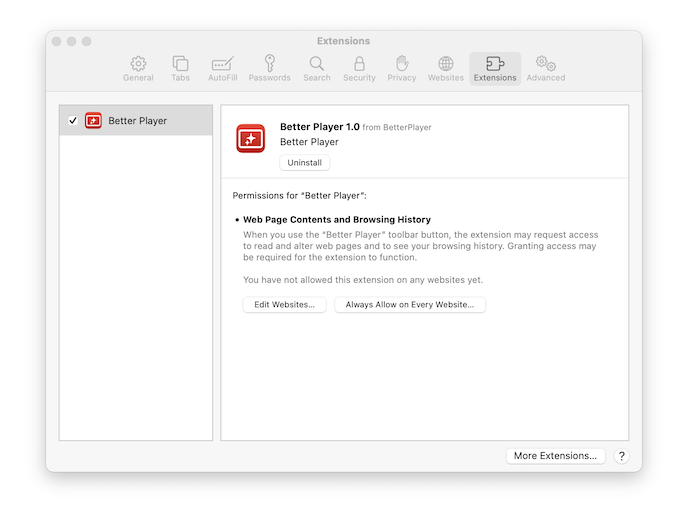
- It will open Safari’s Extensions Preferences. Please check the check-box next to Better Player. Then, click Always Allow on Every Websites… button.
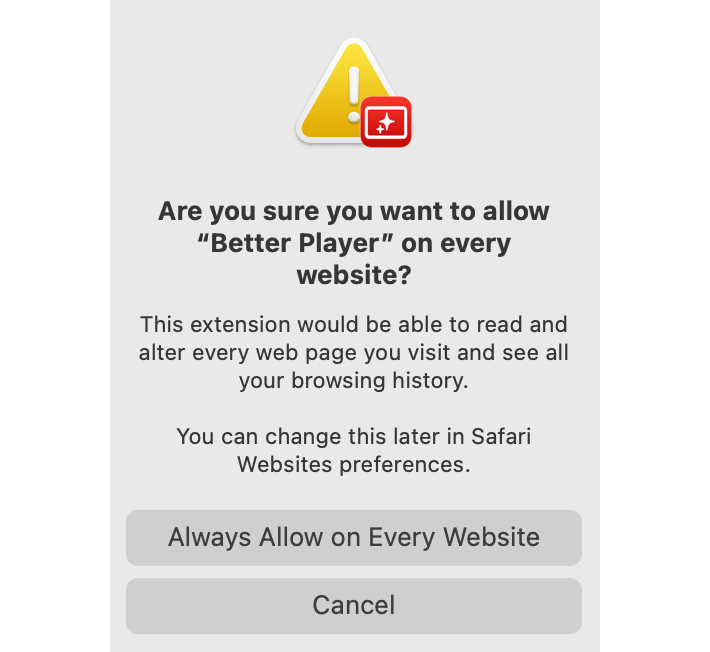
- Safari will open the following warning. Because of the way Better Player for Youtube works, the Better Player for Youtube extension needs to have permission to access to the website. Better Player for Youtube does NOT collect any of your data. Please refer Privacy Policy for details.
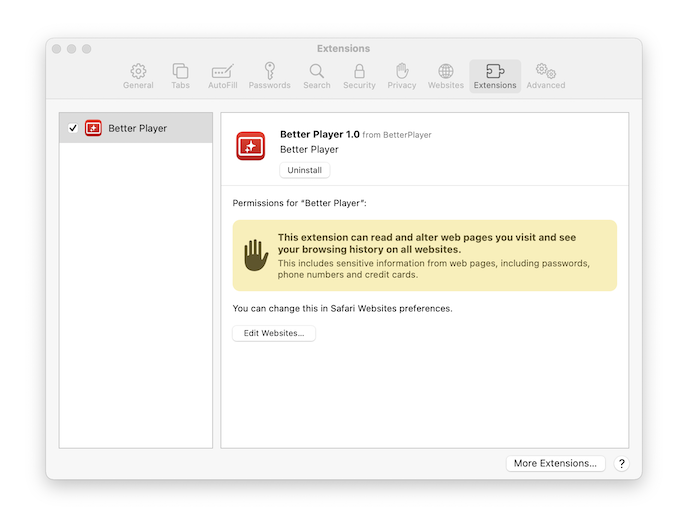
- Once Better Player for Youtube set up is done, you will see Safari’s Extension Preferences as follows;
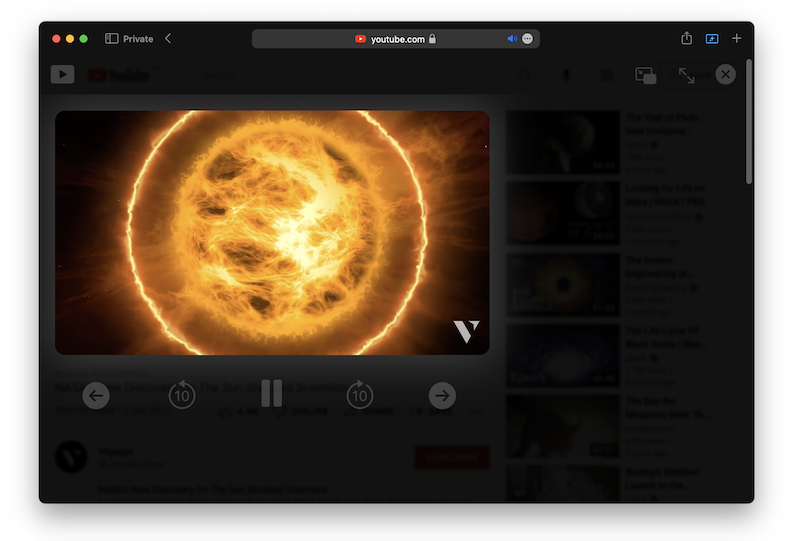
- All set. Go to youtube.com and play the youtube video you want to watch. You’ll see the Better Player for Youtube darken the background of the video and it skips the ads.
iOS
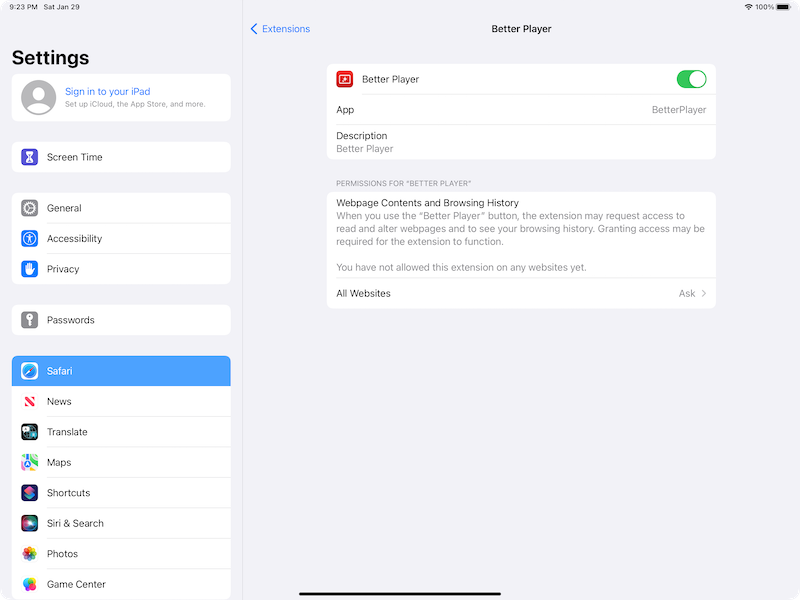
- Launch Settings app and go to Safari > Extensions. Turn on Better Player as follows;
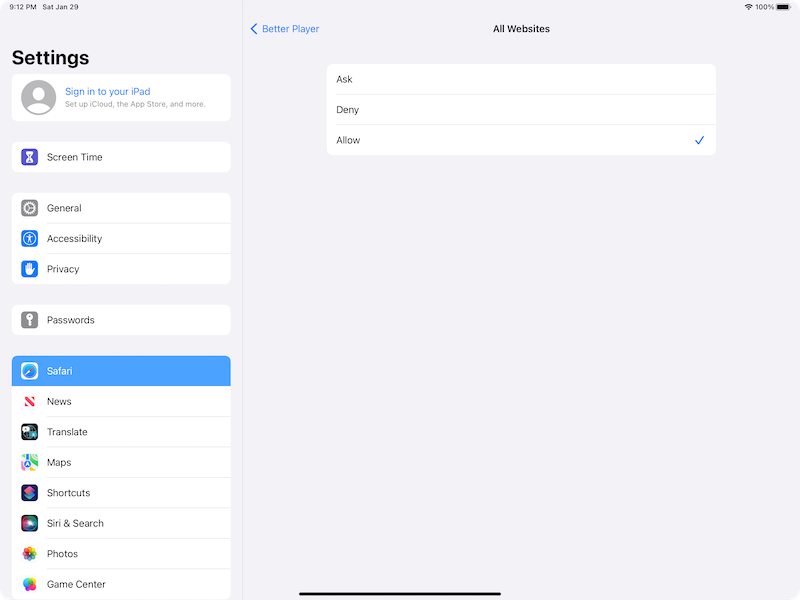
- Touch All Websites and and select Allow;
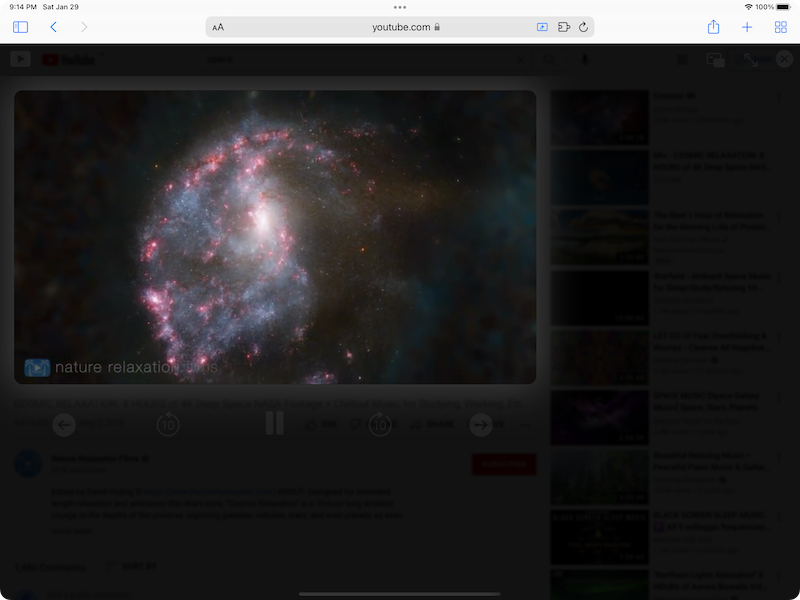
- All set. Go to youtube.com and play the youtube video you want to watch. You’ll see the Better Player for Youtube darken the background of the video and it skips the ads.
Privacy Policy
Better Player for Youtube does NOT collect any of your data. The only data Better Player for Youtube stores are your settings. These are only saved locally. No one, other than you, has access to this data.
Because of the way Better Player for Youtube works, the Better Player for Youtube extension needs to have permission to access to the website. This is needed because Better Player for Youtube has to add javascript to control Youtube videos and darken the page. However, Better Player for Youtube never use these permissions to actually read the websites you visit, or to access your browsing history.
Better Player for Youtube does not store any information about the websites you’re visiting. Not even locally on your device.
In Safari Preference, you can Allow or Deny the extensions to specific websites. In case you want to be extra cautious to certain websites, you can enable or disable Better Player for Youtube to the specific websites only.
English | Korean